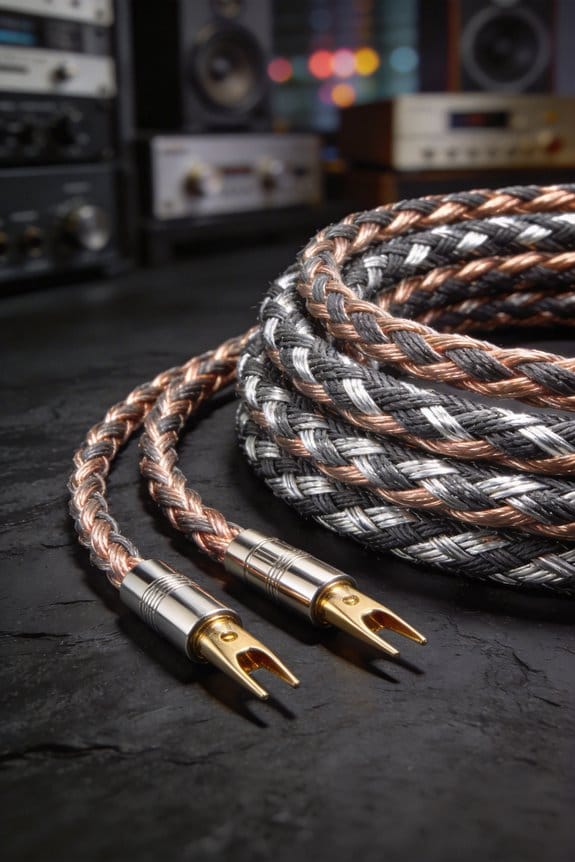
I’ll start by listening for that odd “pop” or sudden dead‑silence when I flip the amp on; a pop means the circuit is still alive, silence usually flags a short. Then I set my multimeter to continuity and probe tip‑to‑ring and tip‑to‑sleeve—if it beeps or shows less than 0.2 Ω I’ve got an inter‑conductor short, and a 0 Ω reading to ground means a ground short that will overheat the amp. Next I visually scan the jacket for cracks, peeled spots or frayed ends that could expose conductors, feeling for hard bulges that hint at internal damage. I measure the speaker’s impedance; a 4‑Ω speaker should read around 2–3 Ω with the cable attached, so a near‑zero value confirms a fault. Finally I swap in a known‑good cable; if the pop returns the original cable is bad, otherwise the amp or speaker is at fault. Keep tightening connectors and you’ll spot the problem fast—there’s more to explore if you want to master the repair.
Key Takeaways
- Use a multimeter in continuity mode; a beep or <0.2 Ω between tip and ring indicates an inter‑conductor short.
- Measure resistance from each conductor to the shield or chassis; a 0 Ω reading flags a ground short that must be replaced.
- Visually inspect the jacket for cracks, kinks, or exposed wires that could cause conductors to touch each other or the shield.
- Swap the suspect cable with a known‑good one; if the problem disappears, the original cable is the fault source.
- After any repair, re‑test continuity and speaker resistance (≈2–3 Ω for a 4‑Ω speaker) and perform a battery‑pop test to confirm the issue is resolved.
Identify Short‑Circuit Signs in Speaker Cables
Ever heard that odd “pop” when you flip the power switch on your amp? It’s usually the first sign that something’s wrong with your speaker cable. A short circuit lets the amp dump current straight through the driver instead of letting the voice coil move naturally, so you end up with a harsh click or dead silence that feels more like a fuse blowing than a music cue.
Frankly, a short bypasses proper impedance matching, so the amp sees a near‑zero load. That causes signal loss and distortion, and you’ll notice a muted thump, a meter reading under 0.5 Ω, and mids that just won’t come through. The amp can overheat, the fuse may trip, and the audio will sound thin, like someone turned the volume down while the music keeps playing.
Worth knowing: check the cable for visible damage, wiggle the connector while listening, and use a multimeter to verify resistance. If you see anything under half an ohm, that’s a red flag. Replace the cable and test again—most of the time the problem disappears.
Here’s the trick: keep a spare, high‑quality cable on hand. When you hear that pop, swap the cable quickly and see if the issue follows. If the sound returns to normal, you’ve nailed the culprit without having to open up the amp.
In short, those symptoms point straight to a cable fault. Have you ever caught a short before it ruined a gig?
Visually Inspect Speaker Cable for Short‑Circuit Damage


Ever heard that pop when you flip the amp on? Before you grab a multimeter, take a good look at the speaker cable—most short‑circuit problems show up right on the surface.
First, check the insulation. Any cracked, peeled, or softened jacket is a red flag because it can expose the inner conductors and create a direct short, especially where the cable bends sharply. Next, verify the color coding. The red and black stripes should line up with the polarity markings on both ends; faded or mismatched colors often mean a broken or swapped wire. Also, scan for frayed ends, kinks, or crushed sections that could pinch the conductors, and don’t forget the connectors—look for corrosion, dirt, or loose pins that might bridge the circuit.
Fair warning: a quick visual check can save you from a nasty shock later. Try this: run your fingers along the length of the cable, feeling for any hard spots or bulges that might indicate internal damage. If something feels off, it’s worth pulling the plug and swapping the cable before you power anything up.
A short glance at these details usually reveals the problem before you even reach for a multimeter. Got a spare cable on hand? Swap it out and see if the pop disappears.
Recommended Products

【PORTABLE SEWER CAMERA WITH CARRY CASE DESIGN】Featuring an industrial-grade telescopic handle and wear-resistant swivel casters, Hialemi's redesigned sewer inspection camera kit enables effortless individual transport. This integrated kit includes 512Hz transmitter & locator, self-leveling, distance counter, 5x zoom, and DVR functions. The suitcase-design sewer inspection kit reduces handling labor versus traditional kits, enhancing on-site workflow efficiency during drain and pipe inspections.


Waterproof & Semi-Rigid Cable for Deep Pipe Access - Navigate long pipelines with ease. The semi-rigid and waterproof cable allows the camera to travel deep into sewer lines and drains without losing control. Included are a 3.9-inch guide wheel and a 1.5-inch protective cover, which help the sewer inspection camera move smoothly through pipes and protect it from harsh conditions

TSMU Digital Control Module
Measure Cable‑to‑Speaker Impedance for Short‑Circuit Diagnosis

Ever tried to figure out why your speakers sound muffled and wondered if a hidden short is to blame? Grab your multimeter and set it to the resistance (Ω) range—this quick check can catch problems that a visual scan might miss.
First, measure the resistance between the speaker terminals and the amp output. A 4‑Ω speaker should read around 2‑3.4 Ω; anything close to 0 Ω flags a short. For an 8‑Ω load, expect 5‑7 Ω, which is normal wire resistance plus the driver’s coil.
Frankly, the next step is to map impedance across the frequency range. Use a simple LCR meter or a test tone generator. A flat response will stay within ±10 % of the nominal impedance, while a dip or spike points to a hidden fault.

Worth knowing: this method lets you spot subtle shorts that only show up at certain frequencies, keeping your system’s response clean and reliable.
If you spot a reading that’s way off, double‑check your connections and look for any exposed wires that might be touching. A quick fix often saves you from a costly repair later.
Test Speaker Cable Continuity for Short‑Circuit Detection

Ever had a speaker cable that suddenly makes your amp sputter, and you’re not sure if it’s a loose wire or a nasty short? You can catch the problem before it burns anything out, and it only takes a few minutes with a multimeter.
First, grab your multimeter and set it to the continuity (beep) mode. Make sure the cable isn’t plugged into anything—this keeps phantom paths from messing up the reading and protects your gear. Place one probe on the red tip and the other on the red sleeve at the far end; a clean beep means the signal path is solid and the conductor isn’t broken.
Next, do the same with the black conductors. Then test tip‑to‑sleeve to see if there’s any cross‑talk short. If the meter beeps on that cross‑check, you’ve found a short and you can note the exact spot for repair.
Try this:
- Probe the red tip to the red sleeve, listen for the beep.
- Probe the black tip to the black sleeve, listen again.
- Finally, probe tip to opposite sleeve; a beep signals a short.
Fair warning: a bad connection can sound like a short, so double‑check each test before you start swapping parts. Once you’ve confirmed everything’s clean, you’ll know exactly where to fix or replace the cable.
Now you’ve got a quick way to keep your amp safe and your sound clear. Got any other troubleshooting tricks you swear by?
Interpret Battery‑Pop Test Results (Pop, No Pop, Weak Pop)

Ever tried to figure out why your speaker sounds dead and wondered if a simple battery test could help? Hook a 1.5 V AA or a 9 V battery to a speaker cable and listen for a crisp pop. If you hear that pop, you’ve just confirmed three things: the conductors are continuous, the voice coil is alive, and there’s no short to ground. That means the path from tip to sleeve is solid, and the resistance sits in the normal range—about 2–3 Ω for a 4‑Ω speaker. A solid pop also tells you the battery polarity is correct and the speaker impedance matches what the amp expects.
No pop at all? That’s a red flag. It usually means the circuit is open—perhaps a broken wire, a loose connector, or even a reversed polarity that’s muting the driver. In that case, you’ll need to check every link in the chain before you power anything up. A weak pop is another clue; it often points to a high‑resistance fault like a corroded joint or a thin strand of wire. Expect the impedance to read higher than the usual 2–3 Ω, and know that the cable could cause distortion or overheating once you crank up the volume.
Worth knowing:
- A clean, loud pop is your green light.
- A faint pop signals something’s resisting the flow.
- No pop means the path’s broken.
Try this:
- Grab a fresh AA or 9 V battery.
- Clip the battery’s positive lead to the tip of the speaker plug and the negative lead to the sleeve.
- Listen for that pop and note its strength.
If you get a solid pop, you can move on to testing the amp and other components with confidence. If the pop is weak or missing, double‑check the wiring, clean any corrosion, and make sure the battery is oriented correctly. Once everything checks out, you’ll avoid surprise failures and keep your sound clean.
How to Spot Inter‑Conductor and Ground Shorts
Ever had an amp go silent right after you plug in a new speaker cable? That sudden silence can be a sign of an inter‑conductor or ground short, and catching it early saves you a costly repair.
First, give the cable sheath a quick once. Look for soft spots, discoloration, or peeled sections—those are the places where the inner wires might be exposed. If the shield looks cracked or the insulation is flaky, you’ve already got a red flag.
Next, grab your multimeter and set it to continuity. Touch the red probe to the positive tip and the black probe to the negative ring. A beep or a reading under 0.2 Ω means the two conductors are shorted together. That’s the classic inter‑conductor short, and it can fry the amp’s output stage if you ignore it.
Then, test each conductor against the metal shield or the chassis. A 0‑Ω or sub‑0.1 Ω result tells you there’s a ground short, which bypasses the speaker’s return path. This kind of short can cause the amp to overheat and shut down.
Try this:
- Inspect the cable for any visible damage.
- Use continuity mode to check tip‑to‑ring resistance.
- Probe each wire against the shield or chassis for ground continuity.
If any of those checks give you a zero‑ohm reading, replace the cable right away. A fresh, intact cable will keep your amp happy and your music sounding great.
Got any other troubleshooting tips you swear by? Share them below!
Swap Cables and Tighten Connections to Isolate the Fault
Got a speaker that’s dead silence or just a hiss? You’ve probably tried swapping the amp or checking the power, but the real culprit is often the cable itself.
First, grab a cable you know works and label each end of the bad one. Disconnect the suspect line, then hook up the good cable. Listen for any change – a pop, a hiss, or the speaker finally moving tells you the original wire was the problem.
Try this:
- Use a torque wrench set to about 2 Nm (≈0.2 kg·m) and tighten each connector.
- Check the speaker after each turn; a click means a loose plug, silence means the cable’s still bad.
If the speaker comes alive after you tighten the plugs, you’ve just fixed a loose connection. If it stays dead, the cable itself needs replacing or a re‑solder.
Frankly, this step‑by‑step check saves you a lot of guesswork. You’ll know exactly which piece to swap out, and you won’t waste time tearing the whole system apart.
Next time you hear that annoying hiss, give the cable a quick swap and torque test before you blame the amp. It’s a simple move that can keep your audio setup humming.
Ready to try it out and see if your speaker springs back to life?
Recommended Products

1/2” Drill & 1/4” Impact Driver Combo-Tackle any DIY project or professional job with ease! The 1/2 in. drill driver features 2-speed transmission (0-450 RPM / 0-2000 RPM) and 400 in-lbs torque for precise drilling and screwdriving on wood, metal, and more. The 1/4 in. impact driver delivers 1,950 in-lbs torque and 3,400 RPM for heavy-duty fastening tasks.

Includes 3/8 in. drive electronic torque wrench 10-100 ft-lb; 3/8 in. (F) x 1/4 in. (M) reducer; case; certificate of calibration; batteries are not included

【E39X7S Hardware Configuration】Latest Qualcomm QCM6225-AD 8-Core CPU, 6GB RAM, 64GB ROM, and advanced 6nm LPP semiconductor technology delivering high performance for next-generation electronic devices. 【7-Inch QLED Display】Elevate your driving experience with the Eonon E39X7S Car Stereo featuring a 7-inch QLED touch screen. Enjoy vibrant, crystal-clear visuals on the large display, perfect for navigation, entertainment, and more.
Verify the Repair and Prevent Future Speaker‑Cable Shorts
Ever gotten a speaker‑cable short and thought you were done after a quick fix? Most people skip the final check, and that can leave a hidden fault that will either fry an amp or mute a driver later on.
Post‑repair testing routine
- Do a continuity beep to make sure the signal can flow.
- Measure resistance; a 4‑Ω speaker should read around 2‑3 Ω.
- Give the cable a battery pop test and listen for the cone moving.
Those three steps tell you if the cable is still shorted or open, and they’re quick enough to fit into any weekend project.
Maintenance checklist
Ten it all connectors so they don’t loosen over time.
Label the polarity so you won’t mix up the wires next time.
Wrap the cable in a breathable sleeve and keep it away from sharp edges.
If any reading drifts more than ±0.2 Ω, re‑solder that spot. A tiny flaw can turn into a pricey failure down the road.
Worth knowing: a good habit is to store your cables in a dedicated drawer or bag, not tossed in a toolbox with tools that could nick them.
Fair warning: don’t ignore a small resistance change—what seems minor now can become a big problem when you crank the volume.
Got a cable that’s acting up after a repair? Try this: double‑check each step, and you’ll catch issues before they ruin your gear.
What’s your go‑to method for keeping speaker cables safe?
Recommended Products
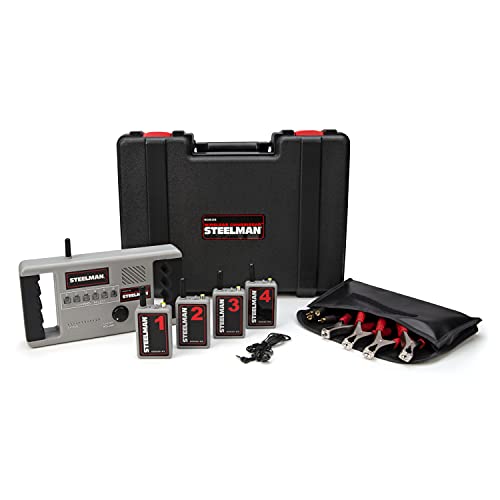
NOISE DETECTION - Detect the source or squeaks, rattles, and other errant or troublesome noises throughout a car or truck's chassis

Versatile Monitor: 6'' IPS touchscreen camera field monitor with 4K HDMI 1.4 / 3G-SDI input and output, ideal for DSLR, mirrorless, cinema cameras.1000:1 contrast ratio, 160° ultra-wide viewing angle.

DEUTSCH DTP SERIES CONNECTORS: Applications for Truck, Bus, Off-Highway, Construction, Agriculture, Mining, Emergency Vehicles, Forestry, Recreational, Marine, Motorcycle,such as Speakers, Floor fan, any application with 2-4 pins and current rating 25A max.
Frequently Asked Questions
Can I Use a Speaker Wire Tester Instead of a Multimeter?
I can tell you a speaker wire tester works fine; it gives quick continuity checks and often includes polarity indicators, making the process more convenient than pulling out a multimeter each time.
Do Different Cable Gauges Affect Short‑Circuit Detection?
I tell you gauge sensitivity matters, and impedance interaction changes, so thicker gauges show shorts more clearly while thinner ones can mask them; I’ve found testing each gauge separately reveals the subtle differences.
Will a Short in One Speaker Affect the Other Channel?
Yes, a short in one speaker can drag the other channel down, causing a ground loop and impedance imbalance that distorts sound and may even damage the amplifier if left unchecked.
Is a Battery‑Pop Test Safe for High‑Power Speakers?
I’ll tell you straight: a battery‑pop test is generally safe for high‑power speakers if you respect battery safety, but a careless pop can still cause speaker damage, so keep voltage low and watch the connections.
Can Environmental Humidity Cause Intermittent Short Circuits?
I’ve seen humidity cause intermittent shorts; moisture encourages corrosion buildup and can make insulation swelling enough to let conductors touch, creating brief faults that appear and disappear with changing moisture levels.