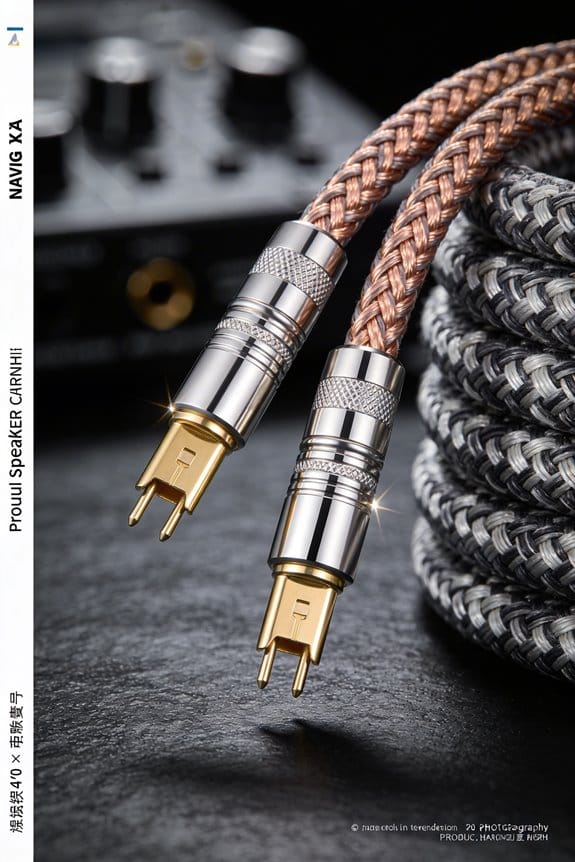
I’ll tell you how to spot a bad speaker cable: if you hear crackles or hiss that get louder when you turn up the volume, that usually means the resistance has crept past 0.5 Ω, so the connection is loose or corroded; a green‑blue film on the metal or a cracked PVC jacket signals moisture or oxidation, which adds about 0.3 Ω of extra resistance and can shave a few dB off the bass; warm or melting plugs, intermittent drop‑outs, or a flickering amp protection light all point to a failing joint; a quick wiggle test while listening, or measuring a voltage rise over 0.2 V across a short segment, will confirm the fault. If those signs show up, you’ll want to replace the cable before the stereo image smears and the drivers overheat—more details await if you keep going.
Key Takeaways
- Audible crackle, hiss, or popping that worsens when volume rises indicates loose, corroded, or wet connections.
- Intermittent drop‑outs, humming, or reduced bass suggest increased resistance from damaged insulation or cracked joints.
- Visible signs such as green‑blue moisture film, rust spots, melted plastic, or frayed insulation point to compromised conductors.
- Voltage drop exceeding ~0.2 V across a short segment, measured with a multimeter, confirms high resistance or a break.
- Wiggle or plug test that changes audio, combined with a negative polarity reading, signals faulty connectors needing replacement.
How to Spot Cracking or Static in a Speaker Cable
Ever notice a weird crackle or static just as a song starts? That little hiss usually means the speaker cable’s connection is loose, corroded, or got a bit wet. It can turn a clean note into a noisy mess in a split second.
Frankly, you can catch most of these issues with a quick feel‑and‑listen check. First, give the plug a gentle wiggle—if it moves more than a couple of millimeters, the solder joint is probably cracked. Next, listen for any humming that jumps above the normal background level, which sits around 0.1 V. A loose connector can push resistance from 0.05 Ω up to over 0.5 Ω, and that extra hiss will show up on every track you play.
Try this:
- Look at the plug’s body for any wobble or uneven ridges.
- Feel for loose pins or spots where the metal feels gritty.
If you hear a sudden spike in noise while the music is on, that’s a sign the cable’s connection is compromised. A cracked joint often creates a static that creeps into every song, making the whole system sound worse.
Here’s the trick: after you’ve inspected the plug, plug the cable back in and play a quiet piece of music. Pay attention to any hiss that rises above the usual floor. If the noise stays, the cable is likely the culprit and should be replaced before it damages your speakers.

You don’t need a fancy tester—just your ears and a bit of patience. A solid connection will keep your music clean and your speakers happy.
Got any other audio quirks you’ve been wrestling with? Let me know!
How to Identify Visual Signs of Corrosion, Wear, and Insulation Damage

Ever had your favorite speakers sound muffled and wondered if the cables are to blame?
When you pull a cable apart, the first thing you should do is give the connectors and insulation a good look. A faint green‑blue film on the metal is a clear sign of moisture, and that can bump resistance by as much as 0.3 Ω. If the PVC jacket is cracked, the copper inside is exposed to oxidation, which typically adds about 0.05 Ω per foot and shows up as a dull, static‑filled sound.
Notice any faded labeling? That makes polarity identification a pain and can lead to mis‑wiring. UV damage that yellows the jacket also weakens it, letting cracks spread and causing intermittent shorts.
If you spot rust spots on the contacts, the contact area is shrinking, raising resistance and bringing in hiss. A cracked jacket lets moisture in, speeding up corrosion and further degrading the sound.
Worth knowing:
- Look for a green‑blue film on metal parts – it means moisture.
- Check the PVC jacket for cracks or splits; each foot of exposed copper can add roughly 0.05 Ω.

When the insulation feels brittle, it’s time to replace the cable before the copper strands get exposed and the whole system fails.
Frankly, a quick visual check can save you a lot of hassle and keep your audio sounding clean.
Do you want to catch these problems before they ruin a gig?
Give your cables a regular once‑over and swap out any that show these signs. Your ears will thank you.
How to Test Speaker Cable Polarity With a Multimeter or 9‑V Battery

Ever wondered why your speakers sound thin and hollow even though everything’s wired up? It’s usually a polarity issue that flips the cone’s motion, making the bass feel weak. Grab your multimeter, set it to DC voltage, and touch the red probe to the positive lead. You should see a small positive voltage—about 0.5 V to 2 V when the amp is on. If the reading is negative, the wires are swapped, and the speaker will move the wrong way.
Here’s the trick: start by probing each terminal and note the voltage. Then flip the leads and compare. When you push the cone outward, the polarity is right; if it pulls inward, you’ve got a reverse. A quick 9‑V battery test works too—tap the battery across the leads and watch the cone. Outward movement means proper wiring; inward means a swap.
- Turn the multimeter to DC voltage.
- Touch the red probe to the speaker’s positive lead.
- Look for a small positive reading (0.5 V‑2 V).
If you get a negative reading, swap the wires and test again. This simple check saves you from hunting down a thin sound later.

Frankly, it’s a fast way to catch a reversed connection before it ruins your music. Your ears will thank you when the bass sounds full and the soundstage feels right.
Give it a try the next time you hook up a new pair of speakers. Have you ever found a reversed polarity that fixed a mysterious sound issue?
What Bad Audio Sounds Like When Your Speaker Cable Is Faulty?

Ever notice your music sounding thin and flat, like it’s coming from a cheap laptop speaker? That’s often a sign your speaker cable is on the fritz. A bad cable can add resistance or cause intermittent connections, which mutes the low‑frequency response. For example, a 4 Ω speaker hooked up with a corroded cable can end up looking 6 Ω or more, shaving off up to 3 dB of bass. The result? Your favorite tracks lose that punch and depth, leaving you with a hollow sound that just doesn’t feel right.
You might also hear crackling or static bursts that pop out of nowhere. Those little spikes—often 0.2 V to 0.5 V on the amp’s output—turn into audible clicks and pops that interrupt the listening experience. If the cable’s insulation is ripped or the connectors are loose, you’ll get intermittent drop‑outs that sound like the audio is being turned off and on every few seconds. It’s a symptom that’s easy to spot but gets misattributed to the amp or speakers themselves.
Fair warning: a faulty cable can mess with your stereo image, too. You may notice instruments drifting out of sync, creating a smeared soundstage. Mids can vanish while the treble turns harsh, giving the whole mix an unbalanced feel. Those issues are tell‑tale signs the cable is compromising signal integrity, not the speakers.
Worth knowing:
- Check the connectors for corrosion or loose screws. Tighten anything that feels wobbly.
- Swap the cable with a known‑good one and listen for changes. If the sound clears up, you’ve found the culprit.
If you’re still hearing weird phase anomalies, try swapping the cable’s position in the signal chain. Sometimes the problem lies in a bad contact at the amp end rather than the speaker side. A quick visual inspection can reveal frayed wires or cracked insulation—both of which can cause those intermittent drop‑outs.
In the end, a solid, well‑maintained cable is cheap cheap for keeping your audio clean. Have you ever caught a bad cable before it ruined a whole listening session? Give your setup a quick check and see how much better it sounds.
When to Replace a Speaker Cable: Overheating, Dropouts, and Connector Failure

Ever notice your speaker connectors getting hot enough to melt a butter‑like sheen on the plastic? That’s a clear sign the cable’s resistance has spiked—often above the 0.1 Ω per foot you’d expect for a 16‑AWG run—so the amp works harder, the heat builds, and you risk damaging both the amp and the speaker drivers.
Frankly, thermal hotspots usually start at weak points in the connector metal, where plating wears thin and contact resistance climbs. That can cause intermittent dropouts that sound like stuttering speech. When you hear sudden silences or see the amp’s protection light flicker, measure the voltage drop. A rise of more than 0.2 V across a short segment means the cable is failing.
Try this: replace the cable before the copper melts. A fresh, low‑resistance line restores power flow, eliminates crackle, and protects your gear.
Here’s the trick: keep an eye on the connectors for any discoloration or melt. If you spot a shiny, melted patch, it’s time to swap it out.
- Check the connector plating for wear.
- Measure voltage drop across the cable.
If you catch the problem early, you’ll avoid costly repairs and keep your sound clean. Want to keep your setup safe and sounding great?
How to Choose and Install the Right Replacement Connectors and Cable Type
Ever had that annoying crackle when you crank up the volume, only to discover it’s not the music but the connection? The right connector and cable can make all the difference, and I’ll share what’s worked for me.
Pick the Right Cable
- Go for shielded conductors. The foil and braid keep EMI out, so your music stays clean even near power cords or Wi‑Fi routers.
- Choose 16‑gauge (1.3 mm) stranded wire for most home speakers. It’s flexible enough to work with, yet low enough resistance to keep voltage drop under 0.05 Ω per foot.
Choose a Good Connector
- Look for gold or nickel plating. It reduces corrosion, so the plug won’t oxidize and cause intermittent loss.
- A banana plug with a 4‑mm barrel fits most speaker terminals nicely.
Installation Tips
Frankly, the trick is in the details. Strip exactly ¼ inch of insulation, twist the strands together, then crimp the plug firmly. Tighten the screw to about 3 Nm; you’ll feel a solid, repeatable fit that cuts loose contacts and noise.
Worth Knowing
When you’re wiring a pair of speakers, keep the cable runs as short as possible and avoid running them parallel to power lines. That extra step can save you from future headaches.
Final Thought
Give these steps a try and see how much smoother your sound gets. Ready to upgrade your setup?
Frequently Asked Questions
Do Speaker Cables Affect Bluetooth Signal Strength?
I’ve found that speaker cables don’t directly affect Bluetooth signal strength, but poor shielding can cause Bluetooth interference and signal attenuation, especially if the cables run close to the transmitter or antenna.
Can I Use Speaker Cables for Data Networking?
I’d tell you straight: speaker cables aren’t suitable for data networking because their design causes impedance mismatch and lack proper shielding, so audio networking over them would be unreliable and could damage equipment.
What Gauge Is Optimal for Long‑Run Speaker Installations?
I’d recommend using thicker conductors with low‑loss insulation for long‑run speaker installations; they keep resistance down, preserve signal integrity, and prevent noticeable volume loss over distance.
Are All Speaker Cables Compatible With High‑Impedance Amplifiers?
I tell you, high‑impedance amplifiers aren’t picky; any decent gauge works if you keep impedance matching tight and choose compatible connector types, so no need to swap cables unless you notice signal loss.
Do Speaker Cables Need Grounding to Prevent Hum?
I tell you that speaker cables don’t need separate grounding, but if you hear hum I’ll check for a ground loop and improve shielding effectiveness, because proper shielding usually solves the issue.