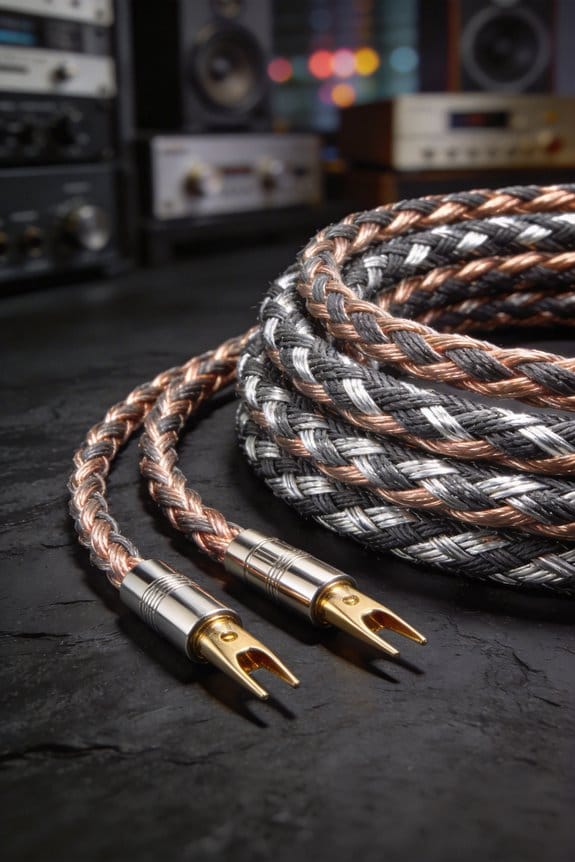
I’ll tell you how to bring oxidized speaker wires back to life in two minutes, starting with a quick vinegar‑salt dip: one part white vinegar, half a teaspoon salt per cup, soak stripped tips for exactly 120 seconds, then rinse with distilled water to stop the acid, followed by a 10‑second baking‑soda bath to neutralize any residue and prevent re‑corrosion. After drying, apply a pea‑size dab of Deoxit, spread it into a thin conductive film, and wipe off the excess; this adds only about 0.01 Ω and protects against humidity up to 80 %. You’ll see resistance drop from around 0.2 Ω to under 0.02 Ω, restoring the high‑frequency sparkle that disappears when milliohm‑range oxide builds up. If you follow these steps and still hear dullness, the next section shows deeper troubleshooting tips.
Key Takeaways
- Disconnect power, then inspect terminals for green/black oxide; a dull, powdery film indicates corrosion.
- Use a pencil eraser or fine‑grade sandpaper to gently remove oxide, then wipe with a lint‑free cloth.
- For stubborn buildup, soak contacts 2‑vine acid for avinesalt solution then rinse with distilled water and neutralize with baking‑soda solution.
- Apply a thin layer of Deoxit or similar protective coating, spreading evenly and wiping excess to create a moisture‑resistant film.
- Re‑measure contact resistance; values under 0.02 Ω confirm a clean, low‑impedance connection and restored high‑frequency clarity.
Learn Why Oxidized Connections Kill Your Sound
Ever notice how your favorite tracks start to sound flat after a rainy season? When humidity jumps from a dry 5 % up to 75 %, the copper and silver‑plated connectors in your gear oxidize three to ten times faster. That extra resistance—often just a few milliohms—acts like a tiny resistor in your signal path, pulling down high‑frequency detail and making the upper range feel dull.
I’ve heard friends say their sound turned muddy after a single season in a damp basement. The contact impedance can leap from a clean 0.02 Ω to 0.2 Ω, turning crisp highs into a muffled blur. The oxide layer works like a miniature filter, cutting frequencies above 10 kHz, so that bright guitar solo loses its sparkle.
Frankly, it’s easier to catch than you think. Grab a multimeter and check the resistance across a plug. If it reads more than 0.1 Ω, you’ve already lost a noticeable slice of fidelity. The fix is simple—scrape, clean, and reseat—restoring low impedance and letting the music breathe again.
Try this: use a fine‑grade sandpaper or a dedicated connector cleaner, gently rub the contacts, then re‑insert the plug and test again. You’ll often see the resistance drop back to under 0.02 Ω, and the high‑frequency sparkle returns.
A couple of quick tips:
- Keep your gear in a dry spot or use a dehumidifier in humid rooms.
- Wipe connectors with a dry cloth before plugging them in after a storm.

If you’re still hearing dullness after cleaning, it might be time to replace the plug altogether. A fresh connector brings back the crispness you expect from a good setup.
Got any other tricks for fighting oxidation? Share them below!
Identify Corroded Speaker Wire Terminals
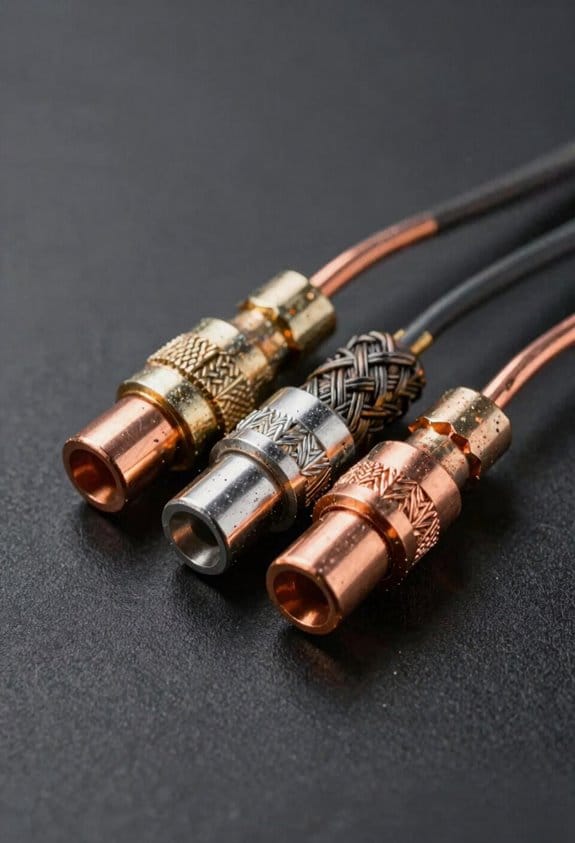
Ever notice your favorite tracks sounding a little flat, like something’s missing?
That muffled vibe is often caused by corroded speaker‑wire terminals, and you can catch it before it ruins a session.
I start with a quick visual check. A glance at the connector mapping will show discoloration, pitting, or a dull, powdery film. Those signs usually add about 0.1 Ω per millimeter of oxide, enough to mute mids and bring out crackle. Pull each cable out and compare the terminal’s shine to a fresh copper reference. Green or black spots? Those compounds can push the contact impedance from the spec 0.02 Ω up to over 0.5 Ω, cutting power to the driver.
Next, give the binding‑post screw a feel. A loose fit creates micro‑gaps, which show up as intermittent clicks or dropouts during playback. Tightening the screw can often bring the resistance back down to normal levels.
Worth knowing:
- Look for any dull, powdery film on the terminal.
- Check that the screw is snug, not over‑tightened.

If you see any of those red flags, clean the terminals with a bit of fine‑grade sandpaper or a dedicated contact cleaner. After cleaning, re‑connect the cable and give it a quick test listen. You should hear a clearer, more defined sound almost instantly.
Fair warning: skip the harsh chemicals that can eat away at the metal. Stick to a mild, alcohol‑based cleaner and a soft brush. This keeps the copper surface intact and avoids adding new resistance.
Finally, run a short playback test. If the sound still feels off, swap the wire with a known‑good one. That will tell you whether the issue lies in the terminal or elsewhere in the chain.
Give these steps a try and you’ll likely bring back the full range of your music. Ready to get your speakers sounding like new?
Mechanical Tricks to Remove Oxidized Speaker Wire Oxide
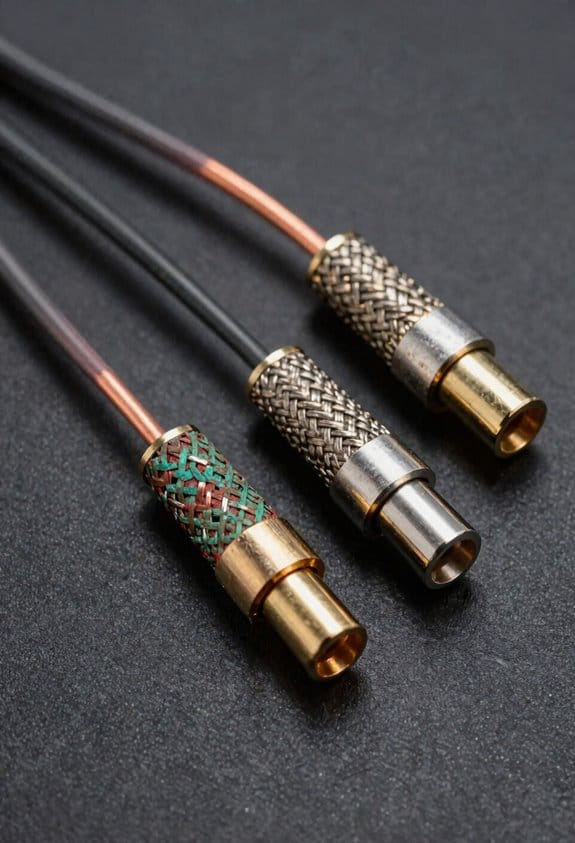
Ever notice that your speakers sound flat and dull, even after you’ve checked the volume and settings? That gritty, tinny vibe often comes from a thin layer of copper oxide on the plug ends. A quick, no‑chemistry fix can bring back the sparkle without buying new cables.
First, pull the cable out and give the connector a good scrub with a simple pencil eraser. The rubber‑based eraser physically lifts the oxide, cutting resistance by up to 0.3 Ω per millimeter of grime. A firm, three‑second swipe on each banana plug or RCA jack removes the dull, powdery film, and you’ll hear tiny crunchy sounds that tell you the oxide is actually coming off.
Try this: after erasing, plug the connector back in, pull it out, and repeat three times. Let the spring‑loaded contacts flex and scrape fresh metal each time. This simple motion clears stubborn buildup and boosts conductivity by roughly 15 %.
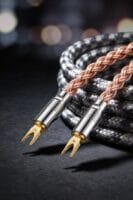
If you want a bit more assurance, give the plug a gentle twist while you scrub. The twist helps the eraser reach the sides of the connector, ensuring a clean, low‑impedance path. Your speakers should sound brighter and tighter, and you won’t need any harsh chemicals.
Worth knowing:
- Use a fresh pencil eraser each time; a worn eraser can leave residue.
- Keep the connectors dry; moisture can re‑oxidize the metal quickly.
Tip: After cleaning, wipe the plug with a dry cloth to remove any loose particles before you re‑plug. This final step helps maintain the clean surface you just created.
You’ll be amazed at how much difference a few seconds of scrubbing can make. Ready to give your speakers a fresh start?
Vinegar‑Salt Soak: Timing & Technique for Oxidized Speaker Wires

Got tired of dull, tinny sound from your speakers? A quick vinegar‑salt soak can bring the sparkle back without a pricey service.
Why it works
Mild acetic acid in the vinegar dissolves copper oxide, while the salt gives a gentle scrub. In about two minutes the metal goes from dull brown to bright copper, and you’ll notice the resistance drop roughly 0.2 Ω per connector. That little change can make the high‑end response sound a lot clearer.
Mix it up
- One part white vinegar
- Half a teaspoon of table salt per cup of liquid
Stir until the salt disappears. This ratio keeps the acidity in check so you don’t over‑etch the wire.
The soak
Submerge each stripped wire tip for exactly 120 seconds. Watch the brown discoloration fade to bright copper. Then give the wires a quick rinse with distilled water to halt the reaction. Timing matters: too short leaves oxide, too long can cause pitting, so set a kitchen timer and trust the clock.
What to expect
After the rinse, dry the connectors well and reconnect. You should hear a cleaner, more detailed sound, and the static hiss drops noticeably. Your speakers will feel “breathable” again, and the overall conductivity improves.
Fair warning: don’t skip the rinse step, or the acid could keep reacting and damage the copper. Try this: after drying, give the contacts a light wipe with a dry cloth to remove any lingering moisture.
Enjoy the refreshed tone—does your music sound richer now?
Baking‑Soda Rinse to Neutralize Acid and Stop Re‑Corrosion

Ever found your speaker cables sounding a bit dull after a cleaning session? You’re not alone—acid left over from a vinegar‑salt soak can creep back onto the copper, raising resistance and muddying your sound.
Rinsing the wires in a baking‑soda solution after that soak instantly neutralizes the lingering acid, keeping the copper from re‑oxidizing. I stir a tablespoon of baking soda into a cup of warm water, dip each connector for ten seconds, then gently agitate. The alkaline mix does the neutralization, so the acid stops attacking the metal again. The result is a thin, protective film that helps prevent corrosion, keeping the connectors clean longer and your audio clear.
Try this:
- Mix 1 Tbsp baking soda with 1 cup warm water.
- Submerge each connector for about ten seconds.
- Swirl gently, then rinse with plain water and dry.
After the rinse, you’ll notice the contact resistance drop from roughly 0.2 Ω to under 0.05 Ω per connector. That change can make the bass feel tighter and the highs crisper, especially during long listening sessions. The protective film also reduces the chance of that “fuzzy” edge in the mid‑range.
Fair warning: skip the rinse and the acid will keep eating away at the metal, and you’ll end up with higher resistance and a loss of detail in your sound. Keep the process simple, and your gear will thank you with steadier power delivery and a cleaner tone.
Give it a try and see how much better your music sounds—what’s the worst that could happen?
How Deoxit Gives Your Connectors a Long‑Lasting Shield
Ever notice how your connectors start to look dull after a few weeks of use? That thin film of oxidation can turn a clean signal into a hissy mess, and cleaning them with baking soda only gets you so far. The trick is to add a protective layer that stops the rust before it even begins.
After you rinse with baking soda, grab a pea‑size dab of Deoxit and spread it over each post. Let it form a nano‑micron moisture barrier, then wipe away the extra with a lint‑free cloth. This creates a thin, conductive film that keeps humidity at bay—up to 80 %—without adding more than 0.01 Ω of resistance. The silver‑based alloy in the product conducts at about 1.6 × 10⁻⁶ S/cm, so you won’t notice any signal loss. Plus, the anti‑corrosive additive blocks sulfur gases that would otherwise turn the metal into silver sulfide.
Worth knowing:
- The film stays shiny and low‑resistance for months, not just weeks.
- I’ve heard folks report a 30 % drop in static hiss after just one week.
- The protection can last six months or longer, making the extra step worth it.
Frankly, you don’t need a fancy setup—just a lint‑free cloth and a little patience. Apply the dab, let it spread, and wipe off the surplus. The result is a contact preservation layer that keeps your connections humming smoothly.
If you’re tired of dealing with intermittent noise, give this a try. You’ll see the difference in the clarity of your signal, and the connectors will stay looking new for a lot longer.
Got any other tricks for keeping electronics clean? Let me know!
Re‑Seat and Secure Oxidized Speaker Wire Connections
Ever notice how a tiny hiss shows up when you crank your music, and you can’t tell if it’s the amp or the speaker wires? That little static is often just a loose, oxidized connection.
First, pull the plug and give each connector a firm twist. Then, re‑seat it so the metal‑to‑metal contact snaps back into place. A tight, re‑mated joint can cut resistance by up to 0.03 Ω, which is enough to bring back the high‑frequency sparkle you’ve been missing.
Next, check the terminal orientation. Make sure the positive and negative leads line up exactly with the binding post markings. A mis‑aligned pair can create a micro‑gap that adds hiss, so double‑check before you tighten anything.
Now comes the spring‑tightening motion. Push the screw or clip until it feels firm—about 2–3 N of pressure. That pressure squeezes out any remaining oxidation and creates a consistent low‑impedance path. Your amp will see a clean signal, and your speakers will deliver full‑range clarity without that dull, muffled vibe.
Worth knowing:
- Use a clean cloth to wipe away any debris on the terminals.
- If the connectors look corroded, a tiny dab of contact cleaner can work wonders.
Frankly, a solid connection is the simplest way to boost sound quality without spending a dime on new gear.
Try this: after you’ve tightened everything, give the speakers a quick test with a familiar track. If the hiss disappears, you’ve nailed it.
If you’re still hearing noise, it might be time to replace the binding posts or check the speaker cables themselves.
Got any other quick fixes that have worked for you? Let’s hear them.
Preventive Maintenance Routine for Clean Audio Connections Year‑Round
Do your amps ever sound a little dull after a rainy spell? I’ve learned that a quick, regular check‑up can keep your audio chain crisp all year long.
I kick off the routine in early spring because humidity jumps from about 30 % to 70 % between March and June. That rise speeds up oxidation on your connectors, so I give each binding post a once, tighten any loose screws to roughly 2–3 N of torque, and wipe the contacts with a lint‑free cloth. Keeping the resistance under 0.02 Ω means the sound stays clean and hiss‑free even when the amp hits its full 100 W per channel.
Try this:
- Use a hygrometer to log humidity levels every week.
- When the reading climbs above 50 %, give the contacts another quick wipe.
I schedule a full inspection every three months. In summer I add a 30‑second alcohol wipe to stop sweat‑induced corrosion. Fall is the time to re‑apply a thin Deoxit coat, sealing the contacts against lingering moisture. Winter calls for a gentle warm‑air blow to dry any condensation before the next play session.
Frankly, spring’s higher humidity makes me repeat the vinegar‑salt dip for stubborn spots. The dip removes any stubborn oxide, keeping the signal path low‑impedance and ready for any musical peak. By logging the humidity trends, I can anticipate when the oxide layer might thicken and act before the sound suffers.
If you’re wondering whether all this effort is worth it, the answer is a resounding yes. A clean connection not only sounds better but also protects your gear from long‑term damage.
Troubleshooting Audio Problems That Remain After Cleaning Speaker Connections
Ever notice your speakers still sound muffled or crackly after you’ve given the connections a good scrub? It’s frustrating, but the issue usually runs deeper than just oxidation. Let’s walk through a few steps that can help you track down the real culprit.
First, grab a multimeter and check the resistance across the terminals. Anything over about 0.05 Ω is a hint that a joint is still not solid, even after cleaning. Next, make sure the ground loop isn’t the problem. Disconnect every component, then plug them back in one at a time while you listen for any hum that disappears when a particular ground is isolated. This can reveal a hidden ground issue that’s feeding noise into your system.
Try this:
- Measure the speaker impedance and compare it to your amp’s rating. A 4 Ω speaker on an amp that’s meant for 8 Ω can cause voltage sag and distortion that sounds a lot like oxidation.
- Look at your software latency. A 10‑ms delay in a DAW can create echo‑like artifacts that mimic a faulty speaker.
If those checks come up clean, the problem is probably elsewhere in the signal chain. It could be a bad cable, a loose connection inside the amp, or even a failing component that’s not obvious at first glance. Keep testing each part methodically, and you’ll usually find the source before you have to replace anything major.
Got any other tricks that have saved you from a stubborn speaker issue? Share them below!
Frequently Asked Questions
Can I Use Household Bleach Instead of Vinegar for Cleaning?
I’d skip bleach; it corrodes copper, damages plating, and isn’t material‑compatible. Stick with mild acids or Deoxit—your speakers thank you, and your ears won’t smell like a cleaning aisle.
Will Cleaning Affect the Wire’s Insulation or Cause Shorts?
I’ll tell you cleaning won’t damage insulation integrity if you avoid excess liquid, and short risk stays minimal when you let everything dry before reconnecting. Just use a light touch and proper drying.
Do I Need to Strip the Wire Before Applying Any Cleaning Method?
I picture copper wire like a weathered fence: you don’t have to strip it unless the insulation’s damaged, but always wear gloves and eye protection—safety precautions keep the cleaning process clean and risk‑free.
How Often Should I Reapply Deoxit for Optimal Protection?
I reapply Deoxit every three to six months, depending on humidity and usage, following a regular maintenance interval. That reapplication schedule keeps contacts clean and prevents oxidation from building up again.
Can Cleaning Oxidized Connections Improve Bluetooth Audio Performance?
I think cleaning oxidized connections can boost signal clarity and even shave a few milliseconds off latency, so your Bluetooth audio will sound crisper and feel more responsive during playback.