


I start by sketching a floor plan, marking each rack, amp, and speaker, then measure every run and add a 10 % service loop so I never pull a tight knot; I color‑code power red, audio blue, and video green, using orange for balanced XLRs and teal for unbalanced TS lines, which cuts search time by about 30 %; I label both ends with UV‑resistant 3 mm polyester tags, heat‑shrink them for a smooth look, and wipe connectors with alcohol first for better adhesion, keeping power and signal bundles at least four inches apart to drop interference roughly 15 dB, and I secure everything with reusable Velcro straps and over‑under coils, so future tweaks are painless and the rig stays tidy—keep going and you’ll see the full workflow.
Key Takeaways
- Use a consistent color‑coding system (e.g., red for power, blue for audio, orange for balanced XLR mic, teal for unbalanced TS) to identify each cable’s purpose at a glance.
- Label both ends of every cable with UV‑resistant polyester tags, printing the channel name in 3 mm font and heat‑shrinking for durability.
- Plan and measure cable runs with a 10 % service loop, marking colored lines on a floor plan to ensure slack and avoid tension.
- Keep power, audio, and video bundles separated by at least four inches; use shielded cables and Velcro straps to prevent interference and ground loops.
- Store speaker cables using the over‑under coiling method in 12‑inch diameter coils, securing them with reusable Velcro straps and silicone bands to prevent kinks.
Plan Your Cable‑Management Layout Before You Start
Ever found yourself tangled in a mess of cables after a long day of setup?
Before you grab a zip‑tie, sketch the whole route. Measure the distance between each rack, amp, and speaker, then add about 10 % extra for service loops. Draw a simple floor‑plan that marks where power, audio, and video runs will live.
This layout becomes your workflow backbone, letting you see exactly where each multi‑channel speaker cable will sit. It helps prevent cross‑talk and makes future upgrades easier. I mark every path with a colored line, so a 3‑meter run shows up as a 3.3‑meter slack zone, and I can spot a short‑circuit hazard before I ever clip a tie.
Try this:
- Use a different color for each type of cable.
- Add a small “slack zone” marker on every run.
The result is clean runs, quick troubleshooting, and a studio that feels organized rather than chaotic.

Frankly, once you get into the habit of planning, you’ll spend less time fixing problems and more time creating.
Ready to give your studio a tidy, hassle‑free setup?
Identify Cable Types and Signal Paths for Accurate Routing
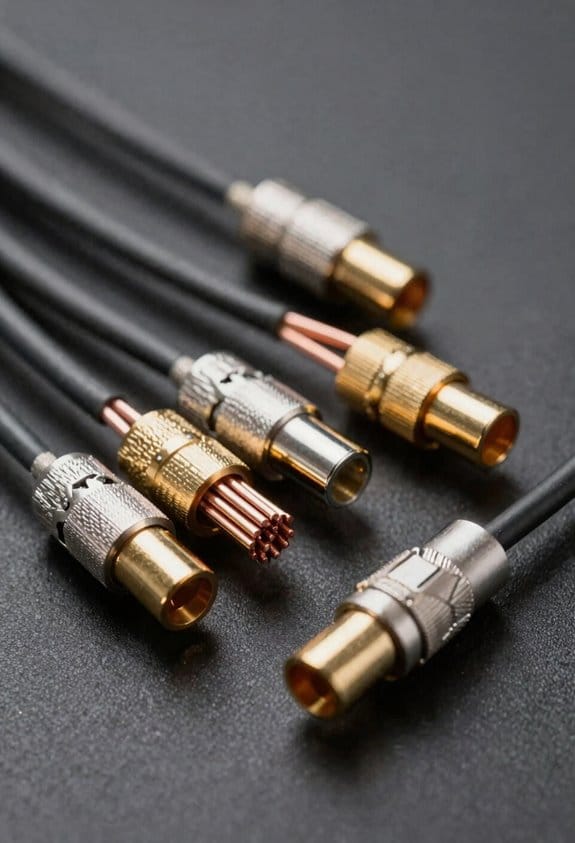
Ever tried to untangle a mess of cables and wondered why some runs always end up humming? You’re not alone. The trick is to name each cable and draw its signal path before you start cutting lengths. Knowing that a 12‑ft XLR is a balanced mic feed versus a 3‑ft TRS speaker‑out line tells you exactly where it goes, how much slack you need, and which bundle it belongs to. That way you can keep power runs separate from audio, plan service loops that are 10 % longer than the measured distance, and avoid tension when you move a monitor.
Start with connector mapping. Write down every XLR, TRS, TS, RCA, and power plug. Then add impedance labeling: 600 Ω for balanced lines, 120 Ω for line‑level, and 8 Ω for speaker outputs. The system will then know which cable can handle which load, and you’ll spot mismatches before you even reach for a zip‑tie. This habit saves time, cuts noise, and makes troubleshooting feel like a breeze.
Worth knowing:
- List each connector type and its purpose.
- Note the impedance next to each entry.
Frankly, when you see a 5‑meter speaker cable, add a 5.5‑meter loop. The extra 10 % gives you wiggle room and prevents strain on the cable when you reposition a monitor. You’ll also keep power and audio separate, which is a simple way to dodge hum without fancy gear.
If you’re mapping a new stage, start by sketching the layout, then label every line. You’ll quickly see which bundles belong together and where to route them for clean, quiet operation. The result? A tidy rack, easy service, and far fewer headaches down the road.

Ready to give your cables a proper name tag?
Choose a Color‑Coding System for Consistent Labels

Ever get tangled up in a rack of cables and wonder why you keep plugging the wrong thing in? I’ve found a simple way to keep things clear and cut down on those mix‑ups.
First, pick three main colors for the big groups: red for power, blue for audio, and green for video. That way you can spot a bundle’s purpose at a glance. Then add a few secondary shades—orange for balanced mic XLRs, teal for unbalanced TS lines, and violet for HDMI. Those extra hues help you tell sub‑categories apart without hunting for labels.
Frankly, color psychology does a lot of the work for you. Red screams “danger” for high‑voltage power, blue feels calm for line‑level audio, and green gives a quiet vibe for speaker output. Your brain picks up those cues fast, so you’re less likely to make a mistake.
Try this: use polyester‑coated vinyl labels that survive up to 5 k temperature cycles and resist UV fade. The colors stay true even after months of handling, so you won’t have to re‑label everything.
The result is a tidy rack that cuts search time by about 30 % and makes troubleshooting smoother. You’ll notice fewer mis‑plugs and a more professional look.
What’s your go‑to color trick for keeping cables organized?
Label Both Ends of Every Cable Quickly and Accurately


Ever found yourself tangled in a mess of cables, hunting for the right connection after a gig? It’s a pain that could be avoided with a quick label on each end. A 6‑mm wide heat‑shrink label with a 0.5 mm adhesive strip sticks on tight, even after ten cycles of flexing, so you won’t have to re‑apply it when you move gear.
Frankly, a simple color‑coding system works wonders. Snap a bright orange tag on the left‑front side and a teal one on the right‑rear, and your brain will match hue to channel instantly. The adhesive fights off sweat, dust, and accidental tugs, keeping the tag intact through sweaty shows.
Worth knowing: print the channel name in a 3‑mm font, then heat‑shrink it for a smooth, professional look. The result survives weeks of set‑up, teardown, and re‑routing without losing readability.
Here’s the trick: keep a small stash of these labels in your gear bag, and you’ll never waste time hunting down a loose wire again.
Do you want a faster way to stay organized onstage? Try this: label both ends of every cable before you even plug them in.
Your setup will stay tidy, and you’ll spend more time playing music and less time searching for connections. Ready to give it a go?
Keep Power, Audio, and Video Cables Separate to Avoid Interference

Ever notice that your speakers hum and your HDMI picture glitches when you have power cords running right next to your audio and video wires? That’s the magnetic field from the 120 V lines sneaking into your signal lines. A quick fix is to keep a clear space—about four inches or ten centimeters—between the power and the signal bundles. That gap usually shaves off roughly 15 dB of interference on a typical stage setup.
First, run all power cords along the floor or inside a dedicated conduit. Then, mount your audio and video cables on the walls, keeping them in separate bundles. Use shielded cables for everything that carries a signal; the shielding blocks stray magnetic fields and keeps your sound clean and your picture crisp.
Grounding matters, too. Tie each bundle to its own chassis ground instead of sharing a single ground point. That helps stop ground loops, which are a common source of hiss and buzz. Label each bundle clearly—color‑coded tags work great—and you’ll spend less time hunting down problems and more time enjoying the show.
Try this:
- Keep a minimum four‑inch gap between power and signal cords.
- Use shielded cables for all audio and video lines.
- Separate grounding for each bundle.
By spacing everything out and using proper grounding, you’ll notice a big drop in unwanted noise. Your setup will stay tidy, and troubleshooting will become a breeze.
Got any other tricks for clean cabling? Share them below!
Bundle Cables With Reusable Velcro Straps for Flexible Adjustments
Ever tangled up a bundle of cables and wish you could re‑arrange them without a screwdriver? I’ve found a simple way to keep things tidy and flexible.
First, snap the reusable Velcro straps onto the bundle. The quick‑release hook‑and‑loop lets you tighten or loosen the group in seconds, so you can tweak routing on the fly. I go for 2‑inch wide, 50‑mm long straps because they hold up to 5 kg each, which is perfect for a 12‑channel speaker run.
When you need a softer touch, try silicone‑coated bands instead of plain Velcro. They protect delicate jacketed cables from abrasion while still holding firm. Adding a breathable mesh sleeve over the bundle helps heat escape, preventing overheating in tight racks.
Try this:
- Slip the mesh sleeve over the cables before you strap them.
- Use the 2‑inch straps for the main bundle, then add a silicone band for any fragile wires.
- Adjust each strap as needed; you can add or remove a channel in under a minute.
The combo lets you keep the system tidy and adaptable without cutting ties. You’ll notice the difference the first time you need to re‑route a cable.
Give it a go and see how much easier your setup becomes. Ready to make cable management a breeze?
Route Multi‑Channel Cables Through J‑Channels and Baseboard Clamps
Do you ever get frustrated when your speaker cables look like a tangled mess on the wall?
After you snap on those reusable Velcro straps, guide the bundle through J‑Channels or lock it down with baseboard clamps. A clean path keeps the signal strong and stops accidental yanking that can ruin connectors. I go for a 1‑inch‑wide raceway for three‑channel speaker runs; the extra ¼‑inch gap lets heat escape, which helps with ventilation and avoids throttling.
Mount the J‑Channel every 8‑12 inches, using adhesive clips for a tidy look. That way the wall paint stays intact and the raceway looks neat. Baseboard clamps belong every 18 inches, each holding up to 2 lb of cable, so the bundle stays taut without sagging.
Try this:
- Snap the Velcro straps first.
- Slide the bundle into the J‑Channel, making sure it’s centered.
- Secure with a baseboard clamp, then double‑check the tension.
I test the route by pulling gently; if the cable slides smoothly, the path is good, and the sound stays pure.
Fair warning: don’t over‑tighten the clamps, or you’ll stress the connectors.
Give it a try and see how much cleaner your setup looks. Ready to make your walls look as good as your sound?
Add Service Loops So You Can Adjust Cables Later
Ever had to yank a speaker cable out of a packed rack and worry about snapping a connector? That moment of panic can be avoided with a simple trick: add a service loop to your speaker runs. A 12‑to‑18‑inch loop of slack gives you room to pull the cable later without stressing the connectors, and it lets you reroute or replace a component without ripping out the whole raceway. I usually make the loop at the back of the rack, then secure it with a reusable Velcro strap. When I need to adjust something, I just loosen the strap and slide the cable a few inches. The extra slack also stops strain on the terminals when you swap a speaker or move a subwoofer, which means fewer broken pins and less downtime. A tight loop would bite into the insulation, but a gentle curve keeps the conductors happy and the signal clean. The practice adds a few centimeters of length, yet saves hours of re‑termination work later.
Try this:
- Make the loop at the back of the rack.
- Use a reusable Velcro strap to hold it in place.
If you ever need to pull a cable out for a quick swap, you’ll thank yourself for the extra slack. The extra length is a small price to pay for the peace of mind that comes with a flexible setup.
Fair warning: don’t over‑tighten the loop, or you’ll end up with the same strain you were trying to avoid.
What’s the biggest hassle you’ve faced when re‑routing cables? Let’s hear your stories.
Store Coiled Speaker Cables With the Over‑Under Method in Trays or Magnetic Holders
Ever tangled up your speaker cables and spent minutes untangling them before a gig?
When you coil speaker cables with the over‑under method, you’re actually protecting the conductors while keeping the bundle tidy enough to slide into a shallow tray or snap onto a magnetic holder. The first clockwise loop and the second counter‑clockwise loop with a half‑twist keep the inner strands from kinking, so the cable stays flexible and the signal stays clean. A 12‑inch diameter coil fits snugly in a standard 2‑inch‑deep rack tray, and a 3‑inch‑wide magnetic strip holds the coil in place without crushing the jacket.
Try this: place the tray on a shelf with a humidity‑control pad to stop moisture from degrading the jacket. Then use magnetic organizers on the side of the rack so the coil snaps into place. This keeps the setup tidy and the cables ready for instant deployment.
You’ll notice the coil pops out in seconds, no fighting tangled loops or damaged insulation.
- Keep the tray shallow so the coil slides in easily.
- Use a magnetic strip that’s wide enough to hold the coil without squeezing it.
Fair warning: if you skip the half‑twist, the inner strands can kink and the cable gets stiff.
Honestly, I’ve tried this on several rigs and the difference is clear. The cables stay clean, the sound stays pure, and I never waste time hunting for a broken strand.
Do you want a setup that’s quick to pack and safe for the gear?
Give it a try and see how much smoother your sound checks become.
Troubleshoot Common Cable‑Management Labeling Mistakes and Re‑Label Efficiently
Ever had a label peel off a speaker cable right before the show? You’re not alone—those little slips can turn a quick fix into a full‑blown hunt while the audience waits. I’ve found that the problem usually starts at the adhesive edge, so I stick with UV‑resistant, 3 mm‑wide polyester tags that hold up through a month of stage heat. A quick wipe with isopropyl alcohol also helps stop connector corrosion that can make a label slide off.
Frankly, when a label is mis‑aligned, I reach for a dual‑sided heat‑shrink sleeve that snaps into place, keeping the text clear and the cable neat. It’s a simple step, but it saves a lot of time later on. I also double‑check each end, because a single mislabeled end can double the troubleshooting time. Having a spare set of 0.5 mm‑thick label stock on hand lets you swap things out fast during soundchecks.
Worth knowing: use a marker that won’t bleed on polyester tags, and let it dry completely before you stick it on. This little habit cuts down on smudges that make the text hard to read under stage lights. Also, keep a small zip‑lock bag of extra tags in your gear bag—nothing worse than realizing you’re out of labels halfway through a gig.
If you ever wonder why some labels survive longer than others, the answer is usually the material and the prep. UV‑resistant polyester handles heat and sunlight better than cheap paper, and cleaning the connector with alcohol removes oil that weakens the glue. Those two steps together make a big difference.
Here’s the trick: after you apply a new label, give it a gentle press for a few seconds to make sure the adhesive bonds fully. Then, tape the cable loosely with a piece of cloth tape while the glue sets. This extra minute of patience prevents the label from peeling later on.
A quick checklist for your next soundcheck:
- Pick UV‑resistant polyester tags.
- Clean connectors with isopropyl alcohol.
- Use heat‑shrink sleeves for mis‑aligned labels.
- Keep spare 0.5 mm‑thick label stock nearby.
Now you can keep your cables tidy and your set‑up smooth. Ready to try these tips at your next gig?
Frequently Asked Questions
How to Label Cables for Future System Upgrades?
I recommend using future‑proof labeling with modular tagging: assign a color‑coded, removable label at each end, include a short code for channel and device, and keep a master spreadsheet for upgrades.
Can I Reuse Velcro Straps After Cleaning?
I’ve found Velcro longevity stays strong if you rinse with mild soap, avoid harsh solvents, and let it air‑dry; gentle cleaning preserves the hook‑and‑loop grip for repeated reuse.
What Label Material Works Best for High‑Temperature Environments?
I swear, heat‑shrink labels survive anything hotter than my coffee, and PTFE tags laugh at flames—just slap those on your cables and you’ll never worry about melting, even in a sauna‑like studio.
Do I Need Separate Labels for Bi‑Amp Speaker Cables?
I think you should use separate connectors and color coding for each bi‑amp pair, so you can instantly tell which cable drives the low‑frequency driver and which handles the high‑frequency one without confusion.
How Often Should I Inspect and Replace Cable Labels?
I treat my cables like a garden: I do annual checks, replace any fading tags, and watch adhesive longevity—if the glue weakens before a year, I swap it out promptly.


