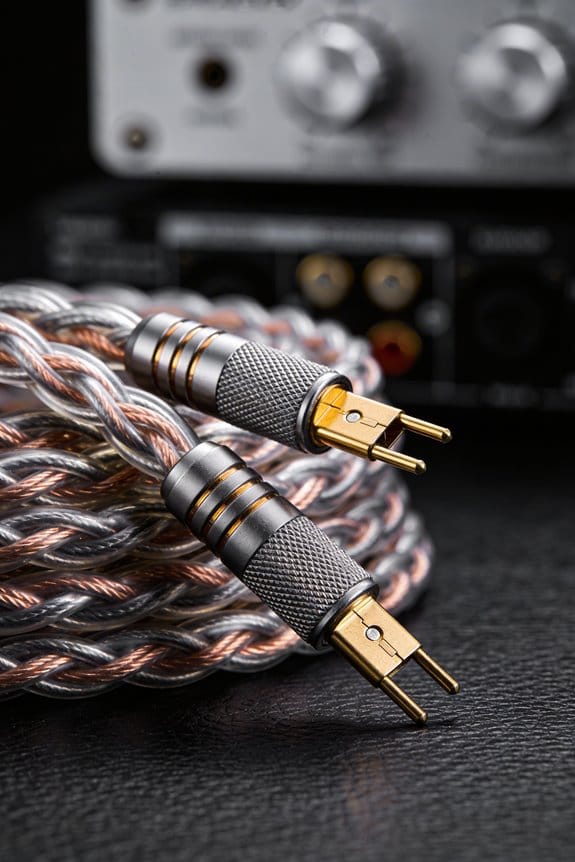
I look at the wire colors, so‑stripe markings, and terminal sizes, because a red or copper‑colored jacket usually means the positive lead and a black, silver, or striped jacket means negative, and the larger spade terminal pairs with the positive wire, which keeps the cone moving outward, restores bass, and avoids the 3 dB dip around 100 Hz that makes music sound thin. I’ll strip the ends and briefly touch a fresh 9‑V battery; the cone should pop outward on the positive lead and pull inward on the negative, confirming polarity before I even plug in a multimeter, which will show 0.5–2 V AC on the hot side during playback and near zero on the ground side, so you can hear the full, punchy sound you expect—more tricks await if you keep going.
Key Takeaways
- Look for color coding: red or copper‑colored insulation indicates the positive lead; black, silver, or brown indicates negative.
- Check for markings on the insulation: a solid red stripe or “+” sign marks positive; a black stripe, “‑” sign, or printed minus indicates negative.
- Identify terminal size: the larger spade or terminal usually connects to the positive wire, the smaller to negative.
- Perform a 9‑V battery test: connect the battery to stripped wire ends; the cone should pop outward for the positive lead and inward for the negative.
- Use a multimeter in AC mode: place the red probe on the suspected positive and the black on the other; a fluctuating voltage synced with the audio indicates the positive side.
Why Checking Speaker Polarity Matters – Quick Overview

Ever noticed your favorite track sounding thin, like the bass just isn’t there? It might be a polarity issue. When the speaker’s phase is off, up to half the low‑end can cancel out, leaving you with a weak, hollow sound. A quick 9‑V battery test tells you which way the cone should move—outward is correct, inward means it’s reversed.
Frankly, when the drivers push together, the low frequencies lock in and the music feels punchy and full‑bodied. Proper polarity also sharpens imaging, so you can pinpoint a snare or vocal without the soundstage flattening into a slab. If you skip this step, you’ll likely see a 3‑dB dip in SPL around 100 Hz and lose that tight, cohesive feel.
Worth knowing: the battery test is simple, but you can double‑check with a multimeter for peace of mind. Just hold the battery’s positive lead to the speaker’s terminal; if the cone moves outward, you’re good to go. If it pulls inward, flip the wires and test again.
Here’s the trick: run the battery test on each driver before you wire them up. Make sure both cones move outward. That way, you’ll keep the bass solid and the imaging crisp every time you hit play.
Give it a try and see how much richer your music sounds. Ready to hear the difference?
Identify Visual Cues That Indicate Speaker Wire Polarity
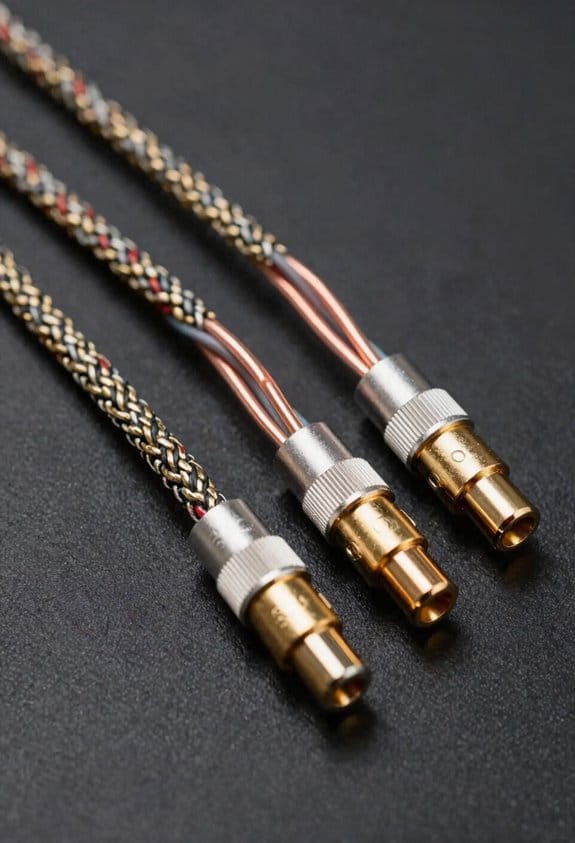

Ever tried wiring a speaker and felt stuck guessing which end is which? The colors on the wire aren’t just for show—red or copper‑colored conductors usually mean “positive,” while black or silver‑colored ones signal “negative.” That lets you line them up with the larger, positively‑marked spade terminal and the smaller, negatively‑marked terminal on the speaker.
I also look at the insulation texture. A smooth PVC coating often hides a stripe that marks the negative side, while a ribbed or matte feel can point to the positive lead. Counting the strands helps too: 12‑strand 16‑gauge wire feels thicker and more flexible, meaning lower resistance, whereas 8‑strand 18‑gauge feels stiffer and works best for short runs.
Try this:
- Check the gauge rating (like 14 AWG) to make sure it fits the terminal’s slot depth.
- A mismatched gauge can loosen the connection and cause hiss.
Fair warning: if the wire’s gauge is too big for the slot, you’ll end up with a loose fit that adds noise.
These visual clues let you set the polarity right before you ever test a battery. Got any other tricks for spotting speaker wire polarity? Let’s hear them.
Test Speaker Wire Polarity With a Simple Battery‑Cone Movement Method

Ever tried to figure out which way your speaker wire goes without a multimeter? It can be a hassle, especially when you’re in a hurry and only a quick check will do. The good news is you can get a clear answer in just a few seconds with a 9‑V battery and a little observation.
First, strip the ends of the speaker wire and hold the battery leads against them. The magnetic field from the battery’s voltage will push the coil in one direction. If the cone pops outward, you’ve got the positive lead hooked up right; if it pulls inward, the polarity is reversed. This visual cue is fast, safe, and saves you from digging out extra tools.

Worth knowing: a 9‑V battery delivers only about 0.3 A peak, which is well below what most speakers can handle. That means the coil stays safe while you still see a noticeable movement. The whole test takes under five seconds, and you won’t risk overheating or distortion.
Try this:
- Strip the wire ends.
- Touch the battery leads to the stripped wires.
- Watch the cone’s reaction—outward means correct polarity, inward means it’s flipped.
Honestly, you’ll find this method handy whenever you need a quick sanity check before wiring a new setup. It’s especially useful if you’re troubleshooting a home theater system or just swapping out speakers in a garage project. The visual cue replaces a multimeter, and you won’t have to worry about damaging the driver.
Fair warning: make sure the battery is fresh, or the cone might not move enough to give a clear answer. Also, keep the test brief—just a couple of seconds of contact is enough to see the motion without stressing the coil.
Once you’ve confirmed the polarity, you can go ahead and finish your wiring with confidence. No extra gadgets, no guesswork—just a simple battery and a quick glance at the cone.
Does this quick test sound like a handy trick for your next speaker install?
Verify Speaker Wire Polarity Using a Multimeter During Audio Playback

Ever tried to figure out which speaker wire is positive while a song is still playing? It’s annoying to pause, swap wires, and hope you got it right. Here’s a quick way to see the polarity without stopping the music.
First, grab a multimeter and set it to AC voltage. Put the red probe on the wire you think is positive and the black probe on the other one. When the track plays, the meter will show a fluctuating voltage. If the number moves up and down in the same direction as the audio waveform, the red probe is on the positive side. If it swings the opposite way, you’ve got the leads reversed.

The reading you’ll see is usually between 0.5 V and 2 V RMS for a 1 W speaker at a moderate volume. That range tells you the speaker is handling power normally, so you can feel confident before you finish wiring the rest of the system.
Try this:
- Keep the meter on AC mode.
- Listen for the meter’s needle or digital display to move in sync with the music.
- If the display goes negative, flip the probes and check again.
A couple of things to watch out for. Make sure the multimeter’s leads are firmly connected; a loose contact can give a shaky reading that looks like a polarity issue. Also, remember that the voltage will change with volume, so a higher reading doesn’t mean a problem—it just means the amp is pushing more signal.
If you’re still not sure, pause the track, swap the probes, and watch the meter’s direction change. That quick visual cue is all you need to confirm which wire is positive.
Now you can wire your speakers with confidence, knowing the polarity is right and the power level looks healthy. Ready to give it a try?
Test a Single Speaker Wire With a Ground Reference

Ever tried figuring out which speaker wire is the hot side without pulling everything apart? It can feel like a guessing game, especially when the amp’s already humming.
Grab your multimeter and plug the red probe into the lone speaker wire. Then clip the black probe to any solid ground—think a chassis bolt or a metal‑frame screw. This gives the meter a reliable zero reference. When the amp plays, you’ll see a steady 0.5‑2 V AC reading on the hot wire. The voltage will rise and fall with the music, while the ground‑linked lead stays flat, letting you spot the positive side instantly.
Try this:
- Keep the circuit single‑ended; you don’t need a second probe on the opposite wire.
- Watch the meter: a spike up to 2 V means you’ve got the hot conductor, and a near‑zero reading points to the return (negative) wire.
The chassis grounding method cuts out floating potentials that could throw off your numbers. It’s a quick way to avoid errors and keep the diagnosis simple. When the voltage climbs, you know the hot side is delivering full audio dynamics; when it stays low, that wire is the negative return, ready for proper connection.
Fair warning: make sure the ground point you choose is solid and not just a loose screw. A shaky connection can give you a false reading and send you down the wrong path.
By using this single‑ended test, you keep the setup tidy and get a clear picture fast. No need to disconnect anything or wrestle with extra leads—just a straightforward check that tells you exactly which wire does what.
Got it? Try it out next time you need to sort speaker wires and see how fast you can get the right answer.
How Color‑Coded and Printed Markings Indicate Speaker Wire Polarity
Ever tried wiring a speaker and got stuck wondering which wire’s which?
You can skip the guesswork by checking the wire’s own colors and markings. A red stripe or solid red sheath usually means positive, while black, brown, or a stripe on a copper‑colored jacket signals negative. That way you can match the speaker’s larger spade terminal to the red‑marked wire and the smaller spade to the black‑marked one.
If the jacket looks silver‑gray, treat it as negative; a copper‑colored jacket pairs with the red terminals. This saves you from phase errors before you even test voltage.
Printed text can help too. A “‑” or a black line on the insulation marks the negative side, giving you a quick visual cue that prevents swapping wires later.
Try this:
- Look for a red stripe or solid red sheath for the positive lead.
- Identify black, brown, or a stripe on copper‑colored as for the negative lead.
Fair warning: mixing up the wires will make the cone move inward and mess up the soundstage.
Now you’ve got a simple visual system that keeps your speakers in phase and your music sounding right. Ready to give it a try?
Match Speaker Terminals to the Right Wires for Proper Phase Alignment
Ever tried to get your speakers booming and the sound just feels off? That weird “out‑of‑phase” muffling can kill the bass, dropping it by a few decibels, and it’s usually because the wires are swapped.
First, look at the terminals on the speaker. The bigger spade is the positive side, the smaller one is negative. Hook the red or copper wire to the larger spade and the black or silver wire to the smaller. That simple match keeps the cone moving the right way, so the left and right drivers stay in sync and your stereo imaging stays tight.
If you see a stripe or line on a wire, treat it as a negative marker. A quick battery test will confirm which way the cone pushes. When the positive wire drives the cone outward and the negative pulls it inward, the phase stays straight and the bass stays punchy.
Try this:
- Double‑check the wiring before you snap any connector in place.
- Use a battery to test the cone direction if you’re unsure.
Worth knowing:
- Consistent phase across all drivers preserves the depth of your music.
- A mismatched pair can make the whole system sound thin and lifeless.
Keeping the phase right is a tiny step that makes a huge difference in how your system sounds. Ready to give your speakers the proper hookup and hear the full impact?
Troubleshoot Common Polarity Mistakes and Hear the Audio Impact
Got a speaker that sounds thin or like the stereo image is off? It’s probably a polarity slip‑up. Even one reversed wire can shave off a few decibels of bass, leave the mids hollow, and push the left‑right imaging apart.
First, grab a spare speaker wire and swap the connections on just one driver. Listen for a recessed, weak sound—if it shows up, you’ve got phase cancellation. Flip the wires back and you should hear the bass and mids fill in, and the imaging snap back into place.
A quick multimeter check while a test tone plays will show a negative voltage on the reversed side, confirming the mistake. Once you correct the polarity, the full tonal balance returns.
Try this:
- Use a simple test tone (like a 40 Hz sweep) and watch the voltage reading.
- Swap the wires on one speaker, then the other, and note any change in sound depth.
If you hear a thin, recessed sound after swapping, that’s your cue the something’s out of sync. The difference you hear when you flip the wires back is the proof that the drivers were out of phase.
Once everything’s wired correctly, you’ll notice the bass coming back, the mids becoming richer, and the stereo image feeling solid again.
So, next time your system sounds off, check the polarity before you blame the amp or the room.
Did you catch the slip‑up early enough to save your listening session?
Frequently Asked Questions
Can I Use a 12‑V Car Battery for Polarity Testing?
I wouldn’t use a 12‑V car battery; it exceeds safe voltage limits for speaker coils and risks damage. Stick to a low‑voltage AA or 9‑V battery, respecting battery safety guidelines.
Will a Speaker’s Magnetic Field Affect Polarity Measurements?
I doubt magnetic interference will cause polarity distortion in a simple speaker‑wire test; the field’s strength is too low to alter voltage readings, so your polarity measurements stay reliable.
Do Bluetooth Speakers Follow the Same Polarity Rules?
I tell you they do—Bluetooth speakers still respect polarity, so when you pair them wirelessly and choose a codec, the internal amp follows the same positive‑negative conventions as wired speakers.
Can Polarity Be Identified Without Disconnecting the Speaker?
I test phase, I watch visual indicators, I apply a low‑voltage battery; the cone moves outward on the positive side, inward on the negative, letting me identify polarity without disconnecting.
Is Polarity Important for Passive Subwoofers?
I think phase alignment matters for passive subwoofers, especially when they share a crossover with other drivers, because mismatched polarity can affect input impedance and cause cancellation or uneven bass response.