


If you flip one speaker’s polarity, its cone moves opposite the other, so low‑frequency waves push and pull against each other, cutting SPL by roughly 6 dB and making the bass sound thin, while the center image collapses into a fuzzy spot and vocals lose presence. The cancellation shows up most when you sit equidistant from both drivers, and a simple 40 Hz test tone will drop about 4–6 dB on a SPL meter. You can spot this with a correlation meter reading below 0.8, then swap the positive and negative leads to restore the full, punchy sound. Keep reading for a quick test‑tone guide and wiring checklist.
Key Takeaways
- Low‑frequency output drops up to ~6 dB because the drivers cancel each other’s pressure waves.
- Stereo imaging collapses; the center image becomes narrow or fuzzy and vocals lose solidity.
- Overall soundstage feels hollow and less immersive, especially when the listener sits equidistant from both speakers.
- Phase reversal creates opposite cone motion, producing destructive interference that reduces SPL and bass depth.
- Flipping the polarity of one speaker restores proper summation, tightening the image and regaining the missing bass.
What Happens When One Speaker Is Wired Out of Phase?
Ever notice how your favorite track suddenly sounds thin, like the bass just isn’t there? It’s probably because one of your stereo speakers is wired out of phase. When the cone on that speaker pushes while the other pulls, the sound waves cancel each other out for the low frequencies that hit both drivers at the same time. The result? A noticeable dip in bass—often 4‑6 dB—and a center image that collapses into a narrow spot, making vocals and bass‑heavy instruments feel weak and distant.
Frankly, the effect is like listening with only one arm. The pressure from each driver adds destructively instead of constructively, so you lose punch and depth. You’ll hear a hollow feeling, especially on mono‑center elements like vocals, and the overall soundstage feels less immersive. It’s not a fancy tech issue; it’s simply a polarity mismatch that flips the waveform on one driver.
Worth knowing: the fix is just a quick swap of the positive and negative leads on the miswired speaker. Once you restore proper polarity, the waveforms line up and you get a full, punchy response again. It’s a small step that makes a big difference in how your music feels.
If you’re not sure which speaker is the culprit, try this: play a track with a strong bass line and listen for any thin spots or a “hollow” vibe. Then, flip the wires on one speaker and see if the bass fills in. You’ll hear the change right away.
In short, a simple wiring check can bring back the depth and clarity you expect from your system. Ready to give your speakers the proper polarity they deserve?
Check Your System With a Quick Out‑Of‑Phase Test


Ever wondered why your bass feels weak or your center image looks fuzzy? It’s often a simple out‑of‑phase issue that you can catch in under a minute.
Grab a cheap SPL meter, set it to 94 dB SPL, and play a mono‑compatible track—think a bass‑heavy rock song or a 40 Hz test tone—while you sit in the sweet spot. Then flip the polarity on one speaker and watch the level change. A 6 dB dip shows up instantly on your ears and on the meter, telling you the speakers are canceling each other out.
If the level stays flat, you’re good; if it dives, swap the wiring and try again. That quick check works with any mono‑compatible source, so you can use a 40 Hz sine wave or a bass‑heavy pop track. The audible dip is unmistakable, and the center image that usually sits squarely in front of you will suddenly widen and tighten when the speakers are in phase.
Frankly, this simple test saves you weeks of guesswork and lets you trust your setup before any further tweaking. It’s fast, cheap, and works every time.
Worth knowing: you only need a basic SPL meter and a track that’s mono‑compatible. No fancy gear required.
Give it a go and see if your system is pushing air together instead of pulling in opposite directions. Ready to hear your music the way it should sound?
Recommended Products


Studio reference class, open back, dynamic headphones with flat frequency response tuned for mixing and producing. X1 studio headphones come with the calibration plugin powered by Realphones to provide flat, spatial and harman targets for mixing. The plugin also extends your monitoring options with virtual rooms as well.

Compact SPL Meter: Ideal for accurate sound pressure and voltage measurements

Accurately Measures Low Frequency SPL: Designed for bass enthusiasts, measures sound pressure levels from 120 to 180 dB in the 10–100 Hz frequency range.
Fix an Out‑of‑Phase Speaker in Three Simple Steps

Do you ever notice the bass sounding thin or the center image wobbling, like something’s just off in your sound system? That usually means one of your speakers is out of phase, and fixing it is easier than you think.

Recommended Products

Smart Voltage Memory: Stepless 5V-20V adjustment with automatic save function, unlike fixed 12V power adapters. Solves universal ac adapter compatibility issues

[36W Universal Power Supply]: Input: AC100-240V 50/60Hz, 7 selectable output voltages: 3V/4.5V/5V/6V/7.5V/9V/12V Output current: 0-3A (3000mA Max, intelligent adjustment). Maximum output power: 36W. DC power cord length: 1.5m (5Ft). Polarity: center positive (+), outer negative (-). Do not charge laptops or center negative devices (such as guitar pedals)
Step 1: Power down and check the wiring
First, turn off the amp and open the cabinet. Run a quick visual check or use a multimeter to see which speaker’s wires are swapped. You’ll spot the one with opposite polarity right away.
Step 2: Swap the leads
Loosen the binding post screw on the offending speaker. Flip the positive and negative wires, then tighten the screw back up. It’s a tiny move, but it restores the missing 6 dB gain that makes the bass thump again.
Step 3: Test the result
Turn the power back on and play a 94 dB SPL test tone or a bass‑heavy track. Listen for a solid, balanced bass and a centered image. If the level stays steady, you’ve nailed the fix.
Try this:
- Grab a screwdriver.
- Locate the speaker’s binding post.
- Reverse the connection of either the + or – wire.
Worth knowing: A quick 94 dB test tone will tell you if the polarity is right—no more dip in the low end.
If the bass feels tight and the soundstage snaps back into focus, you’ve got the speaker back in phase and your listening experience back on track. Ready to give it a go?
Listen to Real‑World Examples of Mis‑wired Audio

Ever notice how a bass line can feel flat, even though the rest of the mix sounds fine? It’s often not the amp or the room—it’s a wiring issue. When one speaker’s polarity is flipped, the low‑frequency output can drop up to 6 dB, and the stereo image collapses into a tiny spot. You’ll hear it right away on a 94 dB SPL test tone or a bass‑heavy track.
Here’s the trick: play a 40 Hz sine wave from about 2 m away. If the SPL dips to around 88 dB, flip the polarity and watch it climb back to 94 dB. That swing shows the destructive interference is the culprit, not a bad amp or room acoustics. In live demos, cue a rock track and watch the crowd. Heads bob, fists rise when the polarity’s right, then flatten when the out‑of‑phase speaker drags the bass down. The image collapses, and the room feels thinner. Record SPL meters and you’ll see a 5‑dB loss, and the audience’s grin fades.
Worth knowing:
- A single speaker wired 180° out of phase can cut low‑frequency output by up to 6 dB.
- The center image can shrink to a pinprick, making the mix sound thin.
- A quick SPL test with a 40 Hz sine wave reveals the problem in seconds.
Frankly, you don’t need fancy gear to catch this. A basic SPL meter and a test tone are enough. Flip the polarity, listen for the change, and you’ll know if the wiring is the issue. It’s a simple step that saves you from months of frustration.
Give it a try and see how much richer your sound gets. Ready to get that bass back where it belongs?
Use Test Tones to Detect Polarity Problems

Ever notice your bass suddenly drops when you crank up the volume? It’s often a polarity issue, and you can catch it with a simple test tone.
When you fire up a 40 Hz sine wave and put the SPL meter about two meters away, you’ll see the level swing roughly six decibels if one cabinet is wired 180° out of phase. The two cones push and pull opposite air, cancelling each other’s bass pressure. I grab a set of test tones—sweeps from 20 Hz to 20 kHz, clicks and a 1 kHz tone—play them through the pair, and listen for polarity clicks, those crisp, out‑of‑phase thuds that appear when the waveforms invert. If the clicks sound louder on one side, I know the polarity is wrong, and the SPL reading will dip by 3‑6 dB at low frequencies, confirming the cancellation. I then flip the speaker wires, re‑run the tones, and watch the meter climb back to a solid, even level, confirming the fix.
Try this:
- Play a 40 Hz sine wave and note the SPL reading.
- Switch to a sweep or click track and listen for louder thuds on one side.
- Swap the speaker wires and repeat the test until the level steadies.
The trick is to keep the meter at a consistent distance and to use the same volume for each test. That way you can see the exact change in dB and know when the polarity is right. Once the meter shows a steady, even level, you’ve got the problem solved.
Frankly, it’s a quick habit that saves you from a weak‑sounding system. Want to keep your bass tight and your speakers in sync? Give it a try next time you set up your gear.
Recommended Products
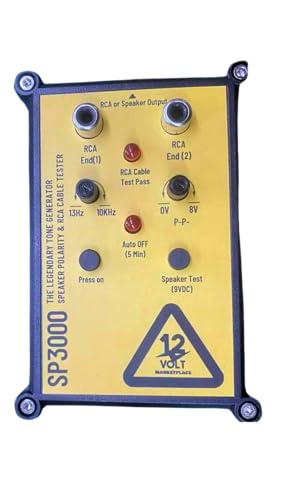
12Volt Marketplace Speaker Popper 3000 SP3000 Tone Generator and Speaker Polarity Tester Perfect for safely troubleshooting and testing audio systems. Output range of 0-8 volts at a variable 13 to 10,000Hz tone Speaker popper for visually testing speaker connection polarity. Includes RCA and alligator clips for connection Safely troubleshoot and test audio systems 4.Reinvestment for Innovation: 12volt Marketplace is committed to continuous improvement. Proceeds from the sales of the SP3000 will be reinvested into research and development, paving the way for an even more advanced and feature-rich product in the future.

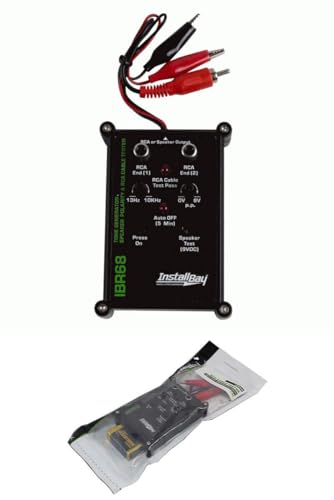
Test the most commonly used connector types in live sound and studio applications
Measure Polarity With a Correlation Meter
Ever wonder why your bass sounds thin even though you’ve got solid speakers? A quick check with a correlation meter can spot a polarity flip before you waste hours tweaking levels.
I hook the meter between the amp and both drivers, play a pink‑noise track, and watch the readout. When the speakers are in phase, the meter hovers near +1, showing perfect stereo coherence. Anything below 0.8 is a red flag—one driver is out of phase and the low‑frequency punch is getting canceled.
Frankly, when the meter drops to –0.3 or lower you’ll hear the bass vanish. Flip the rear‑terminal on the misbehaving speaker, and the reading jumps back up to around +0.97. Suddenly the low‑end regains its full 6 dB boost and the whole system feels tighter.
Here’s the trick: use a pink‑noise track instead of a sweep. It gives a steady, broadband signal that lets the meter show you the exact polarity relationship in real time. No SPL reader needed, no endless trial‑and‑error.
- Connect the correlation meter between amp and speakers.
- Play pink noise and note the correlation value.
- If it’s below 0.8, reverse the polarity on the suspect driver.
This method saves you weeks of guessing and keeps your setup sounding solid. Ready to give your bass the boost it deserves?
Recommended Products

UL/cUL Listed, California CTEP approved. Conform to ANSI C12.1 and C12.20 national accuracy standards. Revenue-grade 0.5% accuracy. Comes with a lower cover which has two 3/4" knockouts to connect the conduits. Confirmed by UL, fuse is not required when connecting breaker of electric panel to the meter. Good for both 3 phase 4 wire (3 hot wire, 1 Neutral) and 3 phase 3 wire (3 hot wire, no Neutral). Please connect the wiring as per 5th picture.

UL/cUL Listed, California CTEP approved. Conform to ANSI C12.1 and C12.20 national accuracy standards. Revenue-grade 0.5% accuracy. Comes with a lower cover which has two 3/4" knockouts to connect the conduits. One in-inline fuse with holder is attached for you to connect hot wire A to VA of the meter. The meter is powered by VA and VN. VB and VC just take the reference of voltage from hot wire B, C. They do not need in-inline fuse.

Temperature Control: The audio impedance meter has a temperature control feature to ensure accurate readings.
Why Two Speakers Can Cancel Each Other Out?
Ever notice how your home theater bass sometimes feels weak, even though you’ve got a big subwoofer?
That can happen when two speakers are wired so their polarity is flipped—one’s positive goes to the other’s negative. The cones then move in opposite directions, and the sound waves they send out cancel each other, especially at low tones where the wave is long enough that a 180° flip is just a half‑cycle delay.
When the drivers push opposite, the pressure vectors add up like a tug‑of‑war. Because they point opposite, the resulting amplitude drops—often about 6 dB for a 40 Hz tone. In a movie, that means the deep thump you feel gets cut in half, and the room sounds thinner. In a stereo setup, the effect shows up most when the speakers sit the same distance from you, since there’s no path‑length difference to mask the phase inversion.
Worth knowing:
- Check speaker polarity with a simple correlation meter before you lock them in place.
- If you hear a “pinched” mix, try swapping the wires on one speaker to see if the bass comes back.
Frankly, a single speaker will still make sound, but the combined output can be only half as loud, leaving your mix lacking depth. The practical upshot? Your bass will feel less punchy, and the overall soundstage may feel flat.
Try this: before you finish wiring, play a low‑frequency tone and walk around the room. If the volume drops when you stand midway between the two speakers, you’ve got cancellation on your hands.
So, next time you set up a home theater or a stereo pair, double‑check that the positive terminals line up, not cross. It’s a small step that can make a big difference in how full your sound feels.
Got any other speaker quirks you’ve run into? Let’s hear them.
Explore Frequency‑Dependent Phase Shifts in Stereo
Ever notice how your two bookshelf speakers sound great on the bass but the treble feels thin when they’re a few centimeters apart? That’s because each frequency gets its own tiny time delay, turning into a phase shift. A 100 Hz tone might be only a few degrees out of sync, while a 5 kHz note can be 180° off if the speakers are just a couple of centimeters apart. The low end stays tight and powerful, but the highs can cancel or smear, giving you a washed‑out treble.
Why does this happen? The delay creates a variable group delay, so mid‑range guitars stay coherent while bright cymbals suffer harmonic smearing. A 1 kHz tone sees about a 10 µs delay, but at 8 kHz it jumps to roughly 80 µs. That means the treble can lose up to 3 dB of punch. If you keep speaker spacing under 1 cm, you’ll get tighter imaging and a more balanced sound.
Fair warning: Even a 2 cm mis‑alignment (about 0.8 in) at 4 kHz is roughly a quarter‑wavelength delay, cutting the combined level by up to 6 dB. That can turn a crisp snare into a muffled thump. It’s easy to overlook, but the difference shows up in every mix you listen to.
Worth knowing: The phase shift is frequency‑dependent, so the farther apart the drivers, the more the high frequencies get out of sync. You’ll hear the effect most on bright instruments and sibilant vocals. A quick check—measure the distance between your drivers and make sure it’s under a centimeter—can save you a lot of head‑scratching later.
Try this: Place a tape measure on the floor, line up the speaker woofers, and adjust until the gap is barely visible. Then sit back and listen to a track with both deep bass and sparkling highs. You should notice the treble staying clear and the overall picture feeling more solid.
If you’re into home‑theater setups, remember that the same rule applies to rear speakers. Keeping them close together helps maintain a cohesive soundstage, especially during fast‑moving action scenes. A small tweak can make a big difference in how immersive the experience feels.
Wiring Best Practices to Avoid Future Phase Errors
Ever notice how a tiny wiring mix‑up can turn your tight bass into a flat, lifeless mess? That phase flip shows up the moment one speaker’s polarity is wrong, and it can ruin the whole soundstage in an instant. The fix is simple, but you have to be consistent every time you plug in a driver.
First, double‑check that every positive (+) terminal on the amp goes to the positive (+) on each speaker, and every negative (–) matches up too. A single polarity swap flips the whole waveform, dropping the bass by about 6 dB and flattening the stereo image. I always start with a solid labeling protocol: color‑coded stickers or heat‑shrink tubing on each connector keep me from mixing up (+) and (–) during upgrades.
Regular connector maintenance is a must. Tighten any loose screws, clean oxidation with isopropyl alcohol, and look for frayed leads. Those tiny shorts can sneak in later and cause phase errors you won’t hear until it’s too late. Also, keep speaker cables away from power cords to avoid induced noise, and use 16‑gauge wire for 8‑ohm loads so resistance stays under 0.1 Ω. That simple step helps preserve signal integrity.
Worth knowing:
- Label each connector before you even start wiring.
- Check for tight screws and clean contacts regularly.
- Keep cables separated from power lines and use the right gauge wire.
Treat these steps as a checklist and you’ll sidestep the dreaded phase flip. Your system will stay tight, lively, and ready for any upgrade you throw at it. Got any other tips that saved you from a wiring nightmare?
Recommended Products

[UL LISTED & CL3 RATED Speaker Cable]Engineered for professional reliability, our speaker wire 14 gauge is UL Listed and CL3 rated for secure in-wall,ceiling and other outdoor installations. The flame-retardant jacket resists fraying and environmental wear while remaining remarkably soft and flexible - allowing for an easy pull through tight corners or wall studs without kinking. Ideal for home theaters, church sound systems, rugged outdoor projects, or automotive installations

DIMENSIONS AND SPECIFICATIONS: 1000FT SPT-2 Green Wire,UL listed. The outer layer of the wire is made of pvc material, which has a good insulation effect
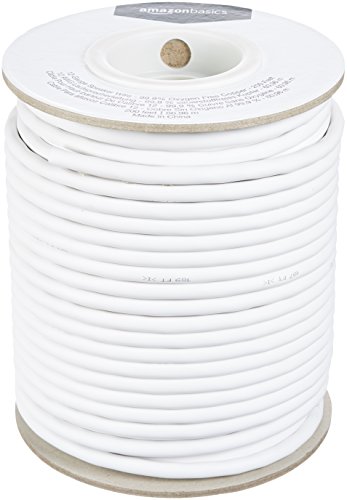
IN THE BOX: 200 feet of 12-gauge audio speaker wire cable
Frequently Asked Questions
Can a Subwoofer Be Out‑Of‑Phase With Main Speakers?
I can get a subwoofer out‑of‑phase with the main speakers, so I run a polarity test and check phase alignment; otherwise the low‑frequency response will cancel and the bass will sound thin.
Does Out‑Of‑Phase Wiring Affect Mono Playback?
I tell you that out‑of‑phase wiring hurts mono compatibility because the summing effects cancel each other, reducing level and bass, so your mono mix sounds thin and less powerful.
Will a Powered Speaker’s Internal Amp Fix Polarity Errors?
I’ll tell you outright: a powered speaker’s amp won’t magically fix polarity errors—think of it as a superhero without a cape. Run wiring diagnostics, check amp grounding, and correct the reversed connections yourself.
Can Bluetooth Transmitters Introduce Polarity Reversal?
I’ve seen Bluetooth transmitters occasionally flip polarity when latency spikes cause codec incompatibility, but most modern units keep the signal consistent, so reversal’s rare unless the codec or firmware mishandles the data.
Is a Phase‑Inverter Needed for Multi‑Room Speaker Setups?
I picture sound waves dancing through rooms, and I tell you: you don’t need a phase inverter for multi‑room setups; just match polarity and let the room acoustics naturally align the speakers.


